How to Set Up a Functional Home Office
Setting up a functional home office means more than just finding a spare corner. Use this guide to create a comfortable, efficient workspace tailored to your needs.
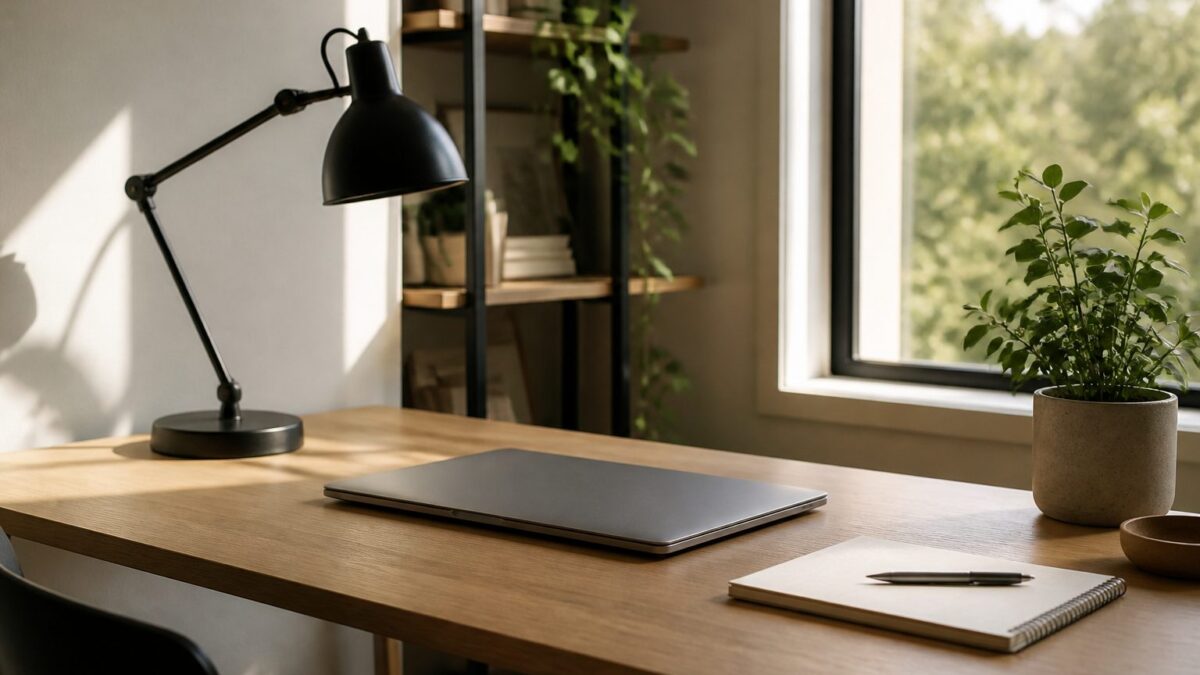
Creating a functional home office goes beyond placing a laptop on a table. The right workspace can improve your comfort, productivity, and well-being—no matter where you live or what you do.
This guide covers the essentials of setting up a home office step by step, from choosing the best spot to budgeting, equipment, layout, and troubleshooting common issues. It addresses different needs and budgets for readers in the US, UK, Europe, and India.
Assess your space and needs
Start by deciding where your home office will go. If you have a spare room, that’s ideal. Otherwise, look for a quiet corner in your bedroom, living room, or even a converted closet. Identify what you need from your workspace—video calls, paperwork, creative tasks, or just focused computer work. List the equipment you require, such as a desk, chair, computer, printer, or storage.
- Privacy: Pick a spot with minimal distractions. If noise is a problem, consider noise-cancelling headphones or a white noise machine.
- Lighting: Natural light is best, but if that’s not possible, plan for good task lighting.
- Size: Measure your available space to ensure furniture will fit comfortably.
Plan your budget
Setting up a home office can be a significant investment, but careful planning will help you stay within your means. Begin by listing everything you already have—this might include a laptop, basic chair, or spare lamp. Next, identify the essentials you still need; for most people, a supportive chair and a functional desk should be top priorities. Prices for these basics vary: in the US and UK, a comfortable office chair can range from $80 (£65/€75) to $300 (£240/€280), while a simple desk might cost $60 (£50/€55) to $250 (£200/€230). In India, locally made furniture can be more affordable, with basic setups starting around ₹5,000.
- Make a list of what you already own, including electronics, lighting, and storage.
- Research the cost of essentials in your region. Prioritise spending on items that directly impact your comfort and productivity, such as an ergonomic chair or adjustable desk.
- Set aside a portion of your budget for extras like monitor risers, cable management, or decor. These smaller items can add up, so track your spending to avoid surprises.
Don’t forget ongoing costs. Upgrading your internet plan might add $10–$30 (or local equivalent) per month. Ergonomic accessories, such as wrist rests or footrests, can be purchased over time as your budget allows. If you plan to claim tax deductions for your home office, keep receipts and check local regulations, as rules differ widely. Start with the basics, and gradually enhance your setup as you identify new needs or find deals on quality equipment.
Choose essential furniture and equipment
The basics are a desk, chair, and computer. Beyond that, needs vary. Ergonomics matter—prolonged discomfort can lead to health issues. Here’s what to consider:
- Desk: Aim for a surface at least 120cm wide. Adjustable standing desks are popular, but a basic table works if the height is right (around 70-75cm for most adults).
- Chair: An ergonomic office chair with lumbar support is ideal. If you’re on a budget, add a cushion for lower back support.
- Monitor: Use an external monitor if you work long hours on a laptop. Position the top of the screen at or just below eye level.
- Keyboard and mouse: An external keyboard and mouse reduce strain. Wireless options cut clutter.
- Lighting: Desk lamps with adjustable brightness help reduce eye strain.
- Internet: A reliable connection is essential. If Wi-Fi is weak, try a wired connection or mesh system.
Set up for ergonomics and comfort
An ergonomic and comfortable workspace is essential for long-term health and productivity. Start by ensuring your chair and desk are at the right height: your feet should rest flat on the floor (or on a footrest), and your knees should form a 90-degree angle. Your desk should allow your wrists to remain straight and your elbows to stay close to your body while typing—this reduces strain and helps prevent repetitive stress injuries. The monitor should be positioned about an arm’s length away, with the top edge at or just below eye level. If you use a laptop, consider a stand and separate keyboard to achieve this setup.
- Choose a chair with adjustable height and lumbar support. In Australia, mesh chairs are popular for breathability, while in Scandinavian countries, kneeling chairs are sometimes used to encourage better posture.
- Use a footrest if your feet don’t reach the floor. This can be a purpose-built product or a sturdy box.
- Take regular breaks—set a timer to stand, stretch, or walk at least once every hour. In Japan, short movement breaks are integrated into the workday for better circulation.
- For shared or multipurpose spaces, use folding screens, curtains, or tall bookcases as dividers to create a sense of separation. In small urban apartments, wall-mounted desks or drop-leaf tables can help save space and keep the area tidy when not in use.
Lighting is also important. Position your desk near a window for natural light, but use blinds to reduce glare. If natural light is limited, invest in a desk lamp with adjustable brightness. In northern Europe, daylight lamps are popular during winter months to combat low light levels. Regularly assess your setup and make adjustments as needed—what feels comfortable now may need tweaking as your work habits change.
Organise your workspace
Keeping your home office organised is key to maintaining productivity and reducing daily stress. Start by assessing your workflow: Do you handle a lot of paperwork, or is most of your work digital? For those who deal with physical documents, invest in drawers or filing cabinets—these can range from compact under-desk units to larger standalone files, depending on your available space. In North America, rolling carts are a popular choice for small apartments, while built-in cabinetry is common in larger homes. Desk organisers are essential for keeping pens, notepads, and other supplies within reach; choose modular systems if your needs change frequently.
- Drawers or filing cabinets: Store contracts, receipts, and reference materials. In Germany, lever arch files are widely used for document organisation.
- Desk organisers: Use trays, cups, or stackable units for small items. In India, repurposed containers or baskets are often used to save costs.
- Cable management: Invest in cable clips, sleeves, or under-desk trays to prevent tangling and free up desk space. In the UK, adhesive cable organisers are common in rentals where drilling isn’t allowed.
- Shelves: Wall-mounted shelves can save floor space and display books, plants, or equipment. Adjustable shelving is useful if your storage needs change.
Labelling each storage area is a practical step—use a label maker or simple stickers, especially if you share your workspace or need to pack away materials daily. In multipurpose rooms, portable storage boxes or baskets make it easy to clear the area quickly when switching between work and home activities. Regularly review and declutter your supplies to avoid unnecessary buildup, and tailor your approach to your habits and space constraints.
Consider technology and connectivity
Reliable technology is the backbone of a functional home office. Check your internet speed—most remote work needs at least 25 Mbps download (higher for video calls or large file transfers). Upgrade your router or use a wired Ethernet connection if Wi-Fi is patchy.
- Power: Use surge protectors for computers and sensitive devices.
- Backup: Consider a battery backup (UPS) for areas with frequent outages.
- Security: Use antivirus software and strong passwords, especially if working with sensitive data.
- Video calls: Invest in a decent webcam and headset if you attend meetings regularly.
In India, power outages are a common concern—UPS devices or inverter backups can keep your work going. In the UK/EU, broadband speeds are generally reliable, but rural areas may need boosters or mobile hotspots.
Personalise for productivity and well-being
Your workspace should feel inviting but not distracting. Add a few personal touches—a plant, framed photo, or artwork. Keep decor simple to avoid clutter. If you struggle to concentrate, try noise-cancelling headphones, a white noise app, or soft background music.
- Use a planner or digital calendar to manage your day.
- Set boundaries if you share your space—let others know your work hours.
- Keep snacks and water nearby, but avoid eating full meals at your desk.
Good air quality and natural light can boost mood and energy. If possible, position your desk near a window and open it for ventilation. In hot climates, use a fan or air conditioner; in cold areas, ensure adequate heating.
Budgeting and cost checklist
Here’s a typical range of costs for setting up a basic home office, with approximate equivalents for the US, UK, EU, and India. Prices vary by quality and location. You may already own some items, reducing your total spend.
| Item | Budget (USD) | Mid-range (USD) | Premium (USD) |
|---|---|---|---|
| Desk | $50 (£40/€45/₹4,000) | $150 (£120/€140/₹12,000) | $500+ (£400+/€465+/₹40,000+) |
| Chair | $60 (£48/€56/₹5,000) | $200 (£160/€185/₹16,000) | $700+ (£560+/€650+/₹56,000+) |
| Monitor | $100 (£80/€93/₹8,000) | $250 (£200/€233/₹20,000) | $800+ (£640+/€740+/₹64,000+) |
| Keyboard & Mouse | $30 (£24/€28/₹2,400) | $80 (£64/€75/₹6,400) | $250+ (£200+/€233+/₹20,000+) |
| Desk Lamp | $20 (£16/€19/₹1,600) | $60 (£48/€56/₹4,800) | $150+ (£120+/€140+/₹12,000+) |
| Storage/Organisers | $15 (£12/€14/₹1,200) | $40 (£32/€37/₹3,200) | $100+ (£80+/€93+/₹8,000+) |
| Internet Upgrade | $0 (if existing is fine) | $50 (£40/€47/₹4,000) | $200+ (£160+/€185+/₹16,000+) |
| UPS/Power Backup | $60 (£48/€56/₹5,000) | $120 (£96/€112/₹9,600) | $300+ (£240+/€280+/₹24,000+) |
Reuse what you can and upgrade over time. Many people start basic and improve their setup as needs evolve.
Troubleshooting common problems
- Discomfort or pain: Start by checking your chair and desk height. If your back aches, adjust your chair to support your lower back or add a cushion. For wrist or neck pain, reposition your monitor and keyboard—raising your screen or using a separate keyboard can help. In countries like the US and Germany, ergonomic accessories are widely available online and in stores.
- Noise: Noise distractions are common, especially in busy households or urban areas. Use noise-cancelling headphones if you need to focus, or play white noise to mask background sounds. In India and the UK, thick curtains or heavy drapes can help dampen outside noise. If possible, relocate your workspace to a quieter area, such as a bedroom or enclosed balcony.
- Clutter: Schedule a weekly tidy-up to keep your workspace manageable. Use boxes, baskets, or portable storage to quickly stow items if your office doubles as another room. In Japan, minimalism is often practiced by storing only essential items on the desk and using vertical storage solutions.
- Poor lighting: If your workspace feels dim, move your desk closer to a window or invest in a brighter, adjustable lamp. In Europe, especially in northern regions, daylight lamps are used during the darker months to improve mood and visibility. Avoid harsh overhead lighting that can cause glare on screens.
- Slow internet: A sluggish connection can disrupt video calls and online work. Consider upgrading your internet plan or switching to a wired connection for more stability. If your router is far from your desk, use a Wi-Fi booster or mesh network. In rural areas, mobile broadband or satellite internet may be necessary—check local providers for the best options.
Addressing these common issues early can prevent frustration and help you maintain a productive, comfortable home office, no matter where you live.
Bottom line
Creating a functional home office is about more than just setting up a desk and chair. The right environment can make a significant difference in your productivity, comfort, and overall well-being. Start by focusing on ergonomics—choose a chair that supports your posture and a desk at the correct height. Reliable technology is crucial: ensure your internet connection is stable, your devices are updated, and you have backups for important files. A clutter-free workspace also helps reduce stress and distractions, so invest in storage solutions that work for your space, whether that’s a filing cabinet in a dedicated room or portable organizers if you share your workspace with others.
Remember, perfection is not the goal. Many people begin with basic setups and gradually upgrade as their needs evolve and budgets allow. For example, someone in a small Tokyo apartment might start with a compact folding desk and add ergonomic accessories over time, while a homeowner in Canada may convert a spare room with more permanent furniture. Adapt your office to your unique work style—some prefer minimalism, others thrive with visual reminders and whiteboards. Factor in your budget and available space, and don’t hesitate to make incremental improvements as you identify what works best for you. A home office should ultimately serve your needs, not the other way around.
Frequently asked questions
How much should I spend on a home office setup?
Most people can create a comfortable, functional workspace for $300–$800 (£240–£640/€280–€740/₹24,000–₹64,000), using a mix of new and existing items. Focus on a good chair and desk first, then upgrade other equipment as needed.
What is the minimum space needed for a home office?
A desk area of 120cm x 60cm (about 4ft x 2ft) is usually enough for a computer, monitor, and basic supplies. If space is tight, consider wall-mounted desks or foldable furniture.
How can I reduce distractions when working from home?
Choose a quiet spot, use noise-cancelling headphones, and set clear work hours with household members. Keep your workspace tidy and use digital tools to block distracting websites if needed.
Is a standing desk necessary?
Standing desks are optional. They can help reduce sitting time but aren’t essential for everyone. If you use one, alternate between sitting and standing to avoid fatigue.
What are some affordable ways to improve home office ergonomics?
Use cushions for lumbar support, stack books to raise your monitor, and use a footrest (or a sturdy box) under your feet. Adjust your chair and desk height for comfort, and take regular movement breaks.
Note: This is general information. Prices and rules vary by country and provider. Check current terms before purchasing, and for complex needs or health concerns, consider advice from a qualified professional.